

A bulk certificate generator for events turns one attendee list into a full set of named, branded certificates, so your team spends minutes on certificates instead of the evening after the event. For conferences, workshops, webinars and training days, it is also the simplest way to make every certificate checkable by employers and partners.
This guide explains what to look for, how to run a batch step by step, and the small mistakes that cause most reissues.
Why events need a bulk certificate generator
Most event teams still make certificates one at a time: copy a name into a design file, export a PDF, rename it, attach it to an email, repeat. For 30 people that is an afternoon. For 300 it is a week, and somewhere in the middle a name gets misspelt or a date gets copied from last year’s event.
A bulk certificate generator for events solves three problems at once:
- Time. One list produces every certificate in a single batch.
- Accuracy. Names, course titles, dates and hours come straight from your list, so the same details appear on every certificate.
- Trust. Each certificate can carry its own verification code, so anyone can confirm it is genuine without emailing your office.
What to look for in a bulk certificate generator for events
Not every tool that “makes certificates” is built for events. Before you choose one, check that it does the following.
- Upload from a spreadsheet. You should be able to upload a CSV file exported from your registration form, not type names into a web form.
- Extra fields. Hours, scores or CPD points should print on each certificate from columns in your list.
- Preview before you spend. You should see every certificate before anything is generated or charged.
- A verification page for each certificate. A QR code or link that opens a page confirming the name, course, issuer and date.
- Your branding. Your logo, colours and the right signatures, without the tool’s watermark on paid plans.
- Batch download. The whole set in one ZIP file, ready to share.
- Clear data handling. Attendee names are personal data, so the tool should explain who can see them and for how long.
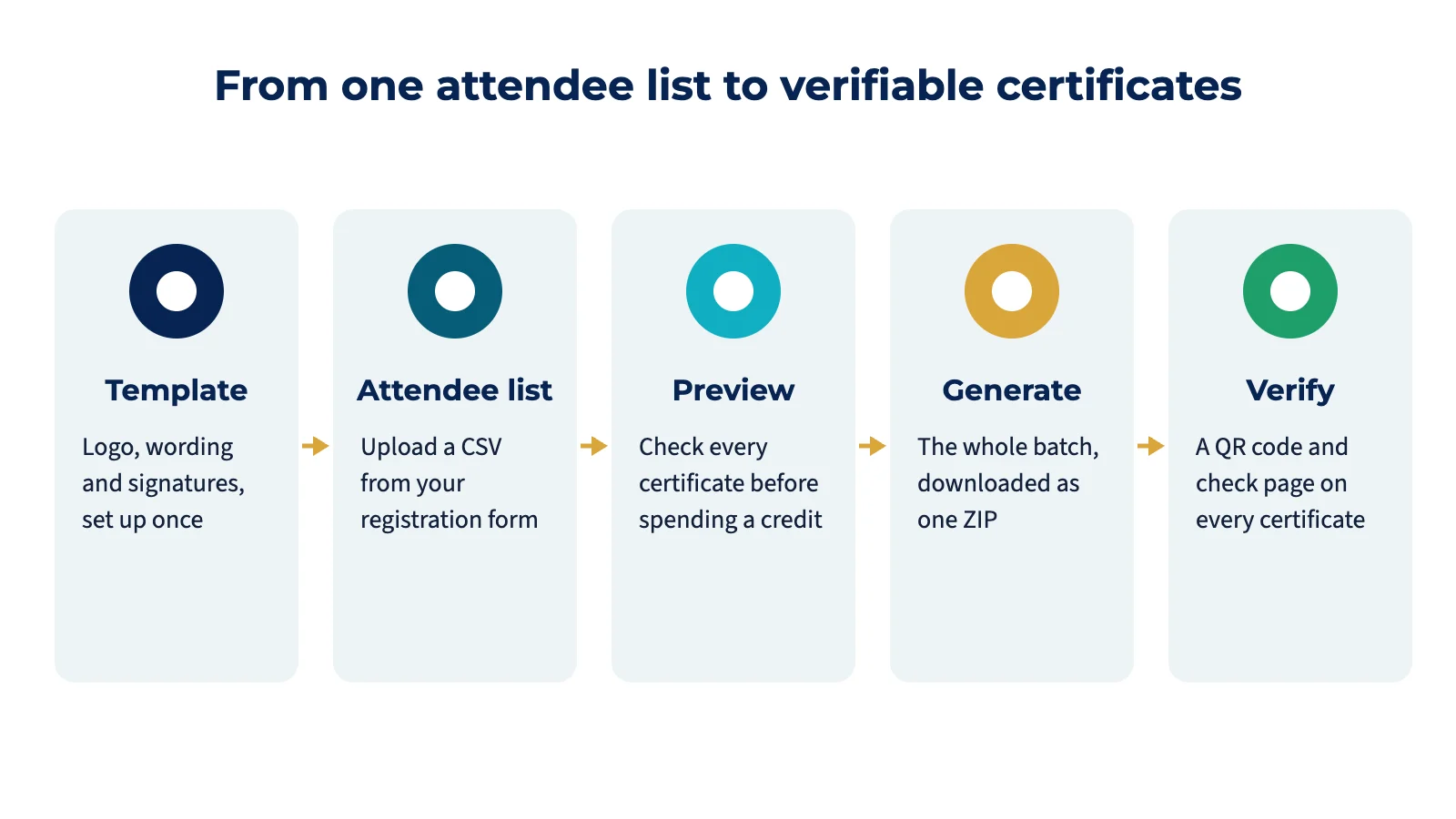
How to issue event certificates in bulk, step by step
- Export your attendee list. Download a CSV from your registration or attendance system. Keep one row per person and remove anyone who did not attend.
- Check the names. Sort the list, fix capitalisation and look for duplicates. This five-minute check prevents most reissues.
- Set up your template once. Choose a layout, add your logo, choose the wording and add up to three signatures. You will reuse the template for every future event.
- Upload the list. Map the columns: name, course or event title, date, hours or CPD points, and email if you want to keep a record for each person.
- Preview every certificate. Flip through the batch. Look for long names that wrap, missing hours and the wrong event title.
- Generate and download. Generate the batch and download it as one ZIP file.
- Share and verify. Send each attendee their certificate. The verification code on each one lets employers and partners check it in seconds.
Attendance or completion?
Decide before you set up the template. A certificate of attendance confirms that someone was present. A certificate of completion confirms that they finished the requirements, such as all sessions or an assessment. Using the wrong one is a common cause of complaints, and for CPD it can matter to accrediting bodies. Our guide to certificate of completion wording, coming soon on this blog, has examples for both.
Common mistakes with event certificates
- Generating before previewing. Every generated certificate usually uses a credit, so a typo in the list costs money as well as time.
- One template per event. Set up one good template and change the wording between batches instead.
- Forgetting the hours. If attendees need hours or CPD points for their professional body, put them in the list from the start.
- No verification. A PDF without a verification code can be edited by anyone, and employers know it.
- Sending without permission. Make sure your registration form tells people their name will be used on a certificate.
Bulk certificates with Centaora Certify
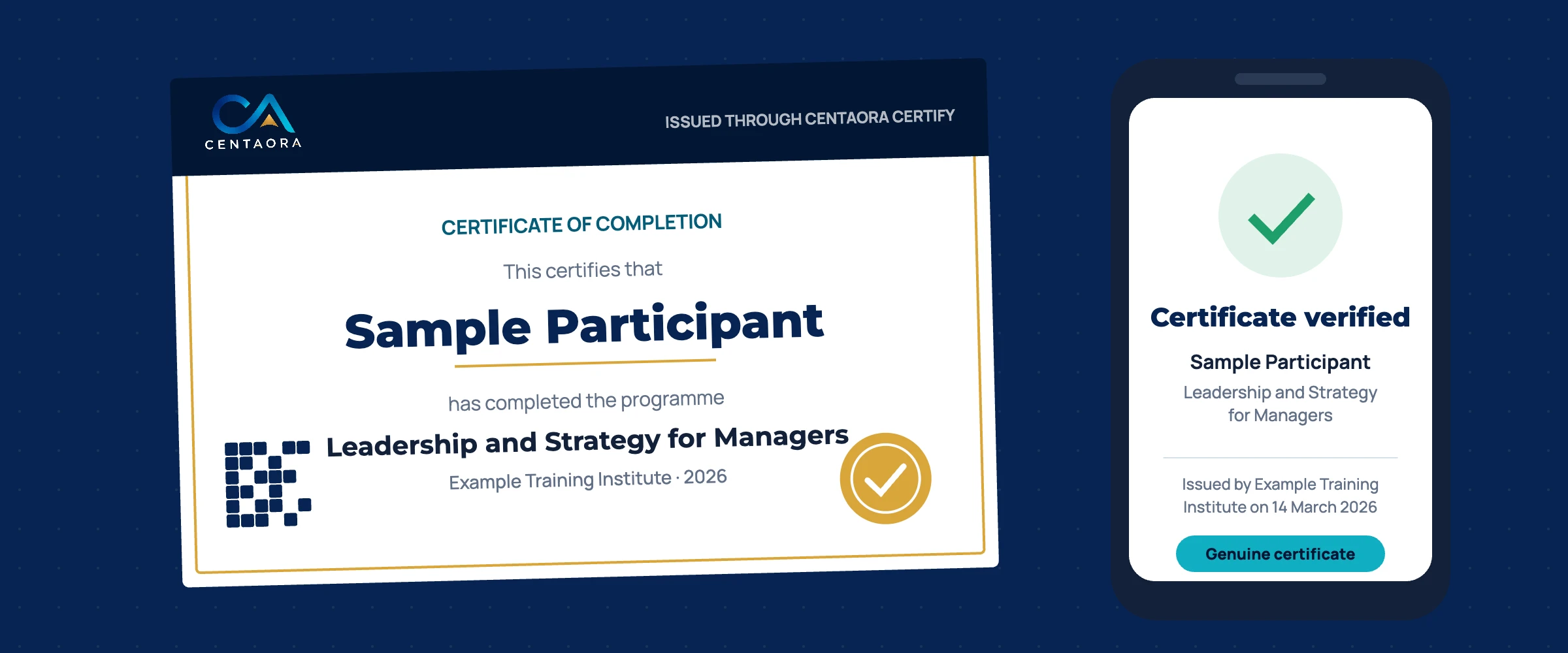
Centaora Certify is a bulk certificate generator for events, training and professional bodies. You set up a template once, upload a CSV list, preview the whole batch before any credit is used, and download the finished certificates as a ZIP file. Every certificate has its own verification page and QR code.
- Trial: three certificates with a Centaora watermark, so you can test the full workflow.
- Credit packs: one credit per certificate, no subscription, and credits stay valid for 12 months.
- CPD and members: add CPD points for the whole batch or per person, and an email column keeps each member’s certificates together.
Online payment is coming soon. Until then, request access and we will set up your account by email.
Frequently asked questions
How long does it take to issue 200 event certificates?
Once your template is set up and your list is clean, uploading, previewing and generating 200 certificates takes a few minutes. Most of the time goes into checking the attendee list, which is worth doing.
Can attendees check that their certificate is genuine?
Yes. Each certificate made with a verification-ready bulk certificate generator for events has a unique code or QR link that opens a page confirming the details on record.
Do I need a different template for every event?
No. Use one template for your organisation and change the event title, date and hours in your list. That keeps every certificate consistent with your brand.